Automate the most common tasks in large-scale simulation
SimStorm Toolbox
SimStorm Toolbox provides a set of functions designed to streamline typical modeling and testing tasks in MATLAB Simulink.
Modeling Automation
Automatically create Input, Output, From and Goto blocks, fill From tags with the matching Goto blocks and set signal names based on the connected blocks.
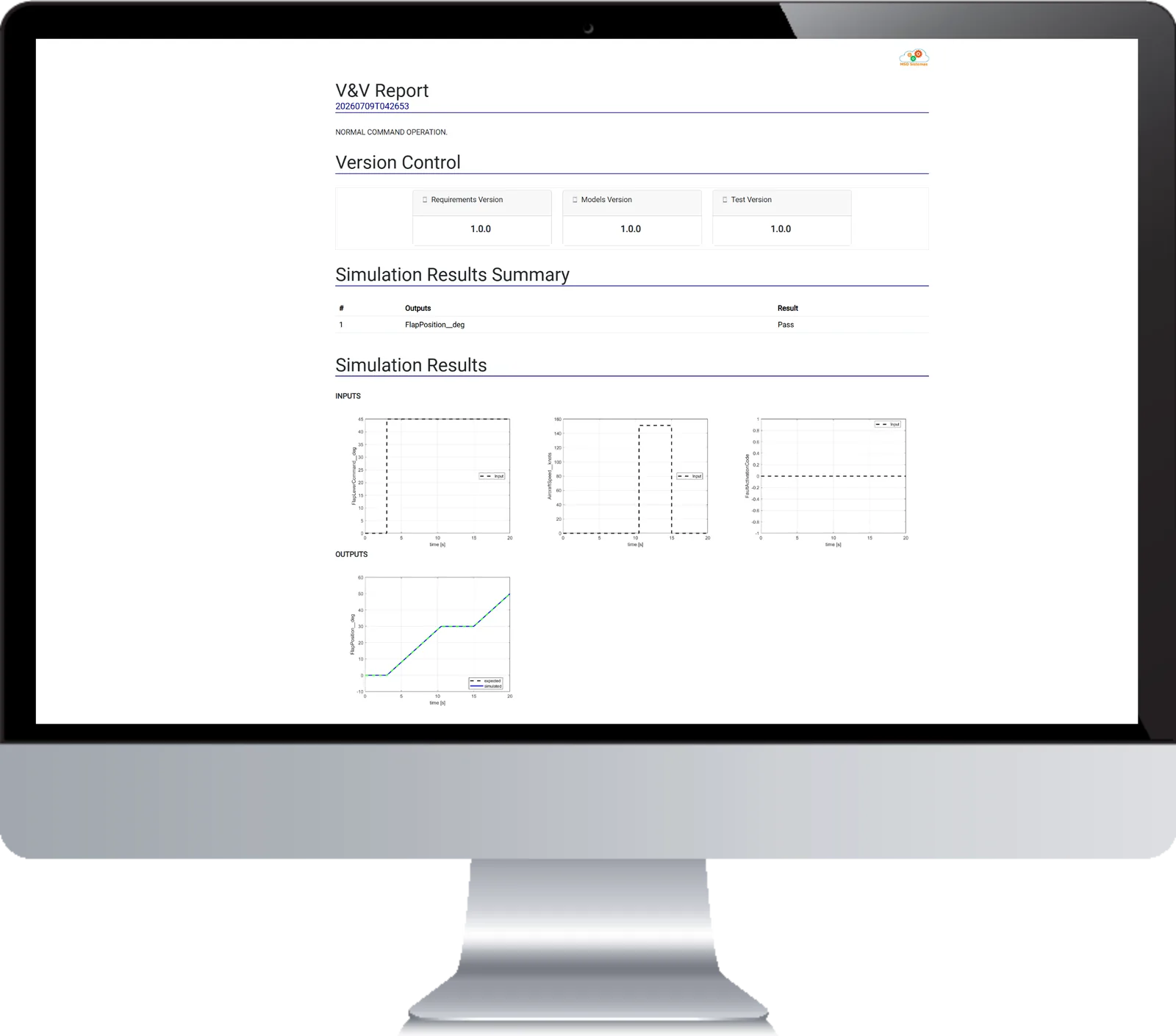
Test Automation
Automate the execution of test vectors and the generation of test reports, comparing simulation outputs with the expected results to automatically check if the test passed or failed.
Modeling Functions
Run each function from your scripts and Simulink callbacks, or with a right-click on the model through the toolbox's context menu.
setSignalNamesBasedOnSrcBlk: names each signal after its source block. For From blocks, the name is the Tag.setSignalNamesBasedOnDestBlk: names each signal after its destination block. For Goto blocks, the name is the Tag.fillTagFrom: fills the Tag of a From block with the matching Goto block tag.createOutputBlocks: creates one Output block per Outport of a subsystem, or per selected signal of a Bus Selector.createInputBlocks: creates one Input block per Inport of a subsystem, or one From block per output signal of an Outport block.createGotoBlocks: creates Goto blocks from a subsystem, an Inport block or a Bus Selector, using the port or signal names as tags.createFromBlocks: creates From blocks from a subsystem or an Outport block, using the port names as tags.
See It in Action
Create Goto blocks
Generate Goto blocks from a subsystem, Inport or Bus Selector selection.
Create From blocks
Generate From blocks from a subsystem or Outport selection.
Create Output blocks
One Output per Outport (subsystems) or per selected signal (Bus Selectors).
Fill From tag
Fill a From block's Tag from the matching Goto block automatically.
Set signal names from destination
Name signals after the destination block (Goto blocks use the Tag).
Toolbox installation
Cloning the toolbox and adding it to your MATLAB path.
Get Started
Download SimStorm Toolbox from MATLAB File Exchange or GitHub and add it to your MATLAB path. It requires MATLAB R2020b or newer with Simulink.
The license is free: after installing, generate your HASH code in MATLAB, as described in the installation guide, and send it to us to receive your license file.
Explore related solutions
Request a Demo!
If you would like to request a demo, or simply learn more about our products and services, feel free to contact us anytime.